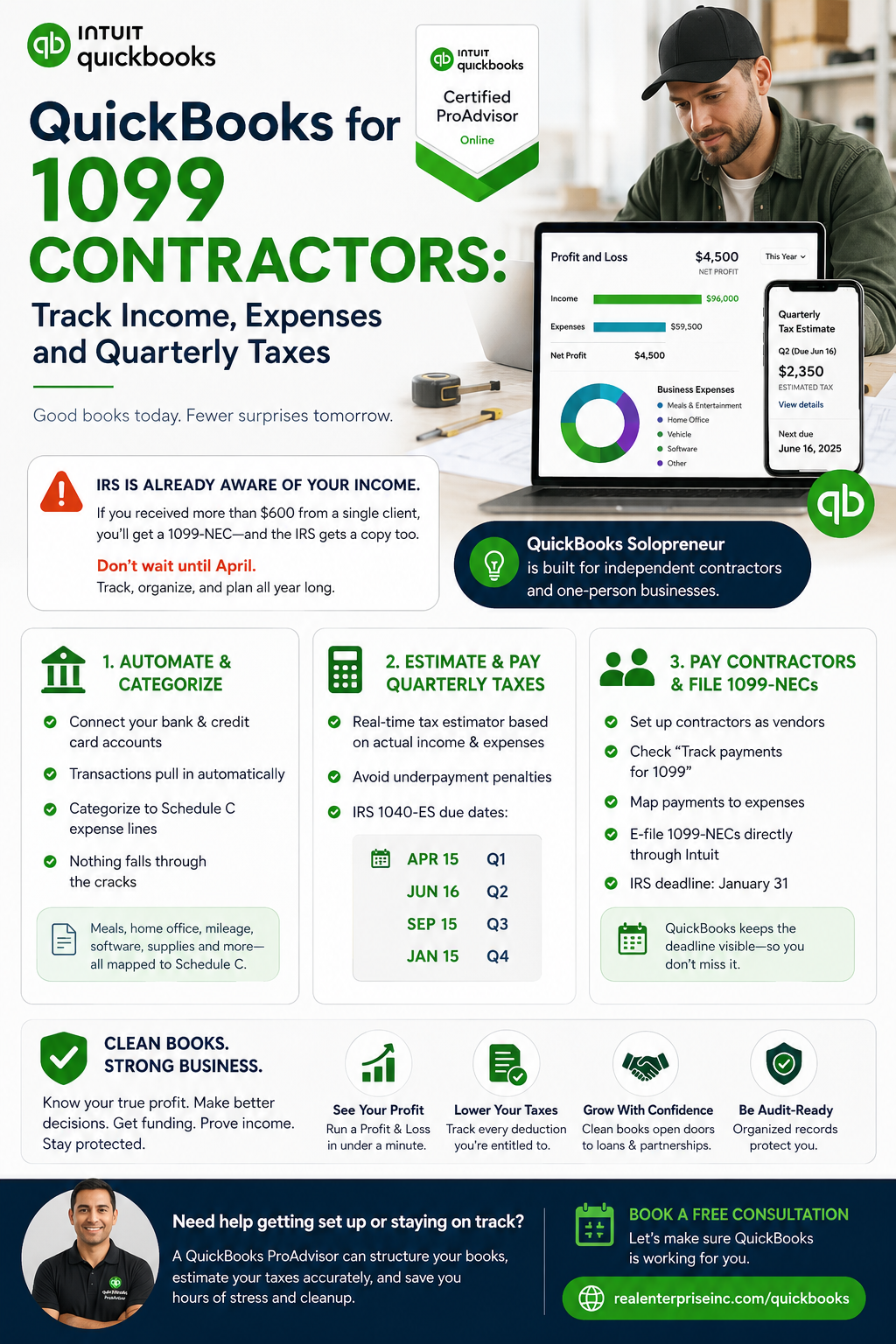
If you received more than $600 from a single client last year, that client was required to send you a 1099-NEC — and the IRS received a copy too. That means your income is already on the IRS's radar before you file a single form. Yet many independent contractors still treat their finances like a shoebox problem: dump everything in, sort it out in April. That approach is expensive, stressful, and completely avoidable.
The biggest mistake 1099 contractors make isn't missing deductions — it's failing to separate their business and personal finances from day one. When income and expenses are tangled together, you can't accurately calculate your net profit. And your quarterly estimated tax payments — due April 15, June 16, September 15, and January 15 under IRS Form 1040-ES — are based on that net profit. Underpay by too much, and the IRS charges a penalty even if you pay in full by Tax Day. Most contractors don't realize this until year two, when the penalty notice shows up.
QuickBooks Solopreneur (formerly Self-Employed) is built specifically for independent contractors and one-person businesses. Connect your bank and credit card accounts, and QuickBooks automatically pulls in transactions for you to categorize. Each category maps directly to a Schedule C line — meals, home office, vehicle mileage, software subscriptions — so nothing falls through the cracks. The built-in quarterly tax estimator calculates what you owe in real time based on your actual income and categorized expenses, not a rough guess. That alone is worth the subscription cost.
If you work with subcontractors yourself and pay them more than $600 in a calendar year, QuickBooks Online makes the 1099-NEC filing process straightforward. Set up each contractor as a vendor, check the "Track payments for 1099" box in their profile, and map their payments to the correct expense account. At filing time, QuickBooks generates the 1099-NEC forms and lets you e-file directly through Intuit — no third-party service needed. The IRS deadline to send 1099-NECs to contractors is January 31, and QuickBooks keeps that deadline visible so you don't miss it.
Accurate expense tracking isn't just about lowering your tax bill — it's about knowing whether your business is actually profitable. A contractor billing $8,000 a month but spending $3,500 on tools, travel, and software has a very different financial picture than their gross income suggests. When your books are clean in QuickBooks, you can run a Profit and Loss report in under a minute and see exactly where you stand. That same report becomes critical if you ever apply for a loan, bring on a business partner, or need to prove income without a traditional W-2. Clean books protect you in every direction.
If setting up QuickBooks correctly, estimating quarterly taxes accurately, or figuring out which expenses actually qualify under Schedule C sounds like too many moving parts at once — that's a completely normal place to be. A QuickBooks ProAdvisor can get your chart of accounts structured correctly from the start, which saves hours of cleanup later. You can book a free consultation at [https://www.realenterpriseinc.com/quickbooks](https://www.realenterpriseinc.com/quickbooks) to walk through your specific situation and make sure your setup is working for you, not against you.
Sources
- Set up contractors for 1099s - QuickBooks - Intuit
- Create and file 1099s with QuickBooks Online - Intuit
- Overview of QuickBooks Self-Employed - Intuit
- Schedule C and expense categories in QuickBooks Solopreneur and QuickBooks Self-Employed
- QuickBooks Solopreneur Review, Features, Pros, Cons, Pricing & Free Trial (2026 Guide) - Aenten
- Create and file 1099s with QuickBooks Contractor Payments - Intuit