A wholesale distributor managing 3,000 SKUs and 15 warehouse users just hit the wall with QuickBooks Online. A freelance consultant tracking 12 clients and running payroll for two employees is perfectly fine there. The gap between those two situations is exactly where the Enterprise vs. Online decision lives — and getting it wrong costs real money in workarounds, data migration, and lost time.
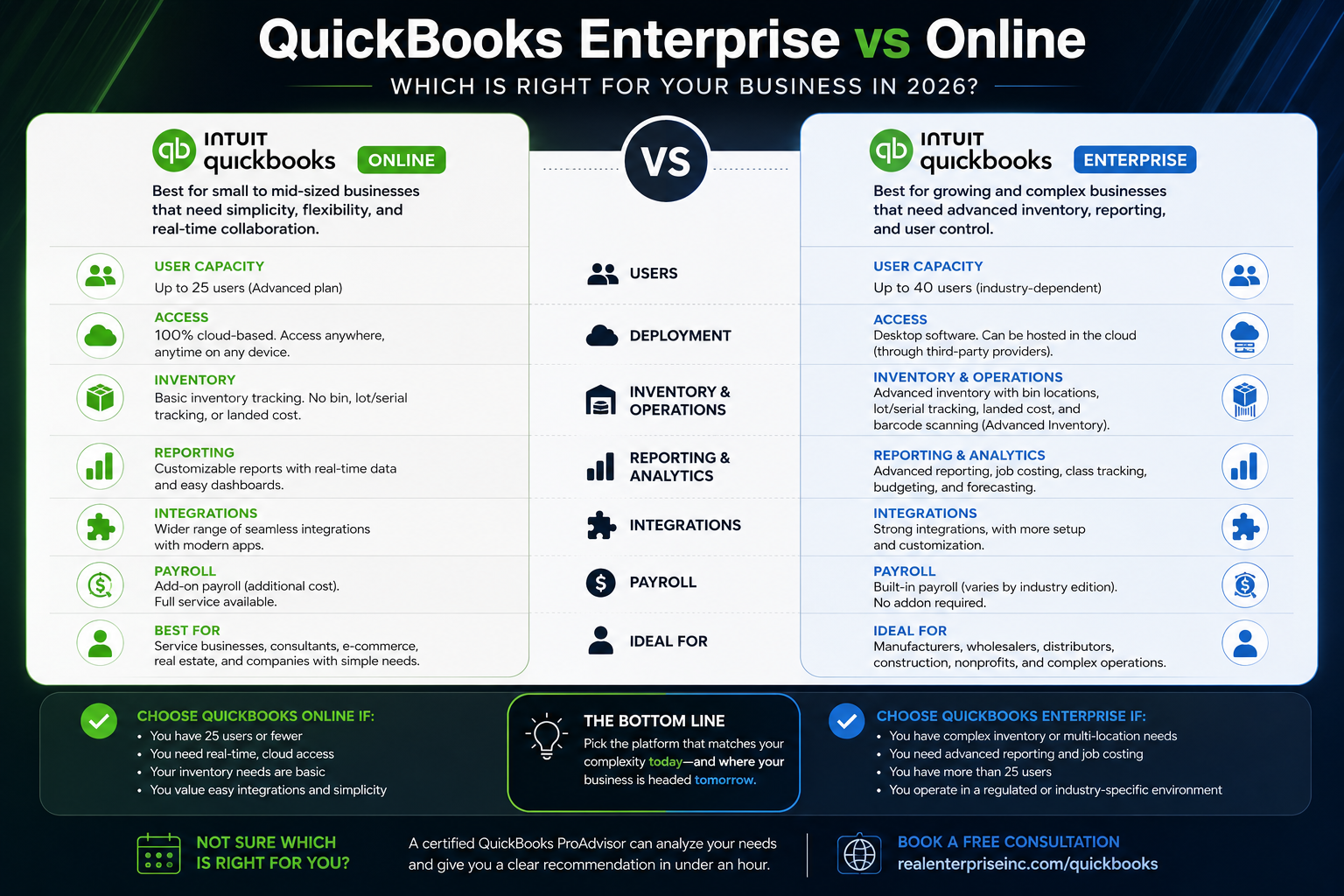
Most business owners treat this as a features race. They compare bullet points on a pricing page and pick whichever list looks longer. That's the wrong framework. QuickBooks Online (QBO) and QuickBooks Enterprise solve genuinely different problems. QBO tops out at 25 users on the Advanced tier and is built for straightforward bookkeeping, invoicing, payroll as an add-on, and cloud-accessible reporting. Enterprise is built for complexity — think advanced inventory with bin and serial number tracking, industry-specific pricing tiers, and user capacity up to 40. If your business has outgrown QBO's reporting or inventory tools, that friction isn't a bug. It's a signal.
Here's a clean decision rule for inventory-heavy businesses: if you need multi-location inventory tracking, lot number management, or landed cost calculations, QuickBooks Enterprise wins outright. QBO Advanced doesn't offer those features natively. Enterprise also includes the Advanced Inventory module at higher tiers, which handles barcode scanning and pick-pack-ship workflows. For manufacturers, wholesalers, and construction companies tracking job costs across multiple sites, that's not a luxury — it's a requirement.
On the flip side, if your priority is real-time collaboration with a remote bookkeeper or accountant, QBO has a structural advantage. It's fully cloud-native, meaning your advisor sees the same live data you do — no file transfers, no version conflicts, no waiting for someone to log off. Enterprise can be hosted in the cloud through third-party providers, but that adds cost and a layer of IT dependency. QBO also integrates more cleanly with most modern app stacks — payroll, e-commerce, CRM — which matters if your business runs on connected tools.
The choice you make here has direct tax and audit implications. Enterprise's detailed job costing and class tracking make it significantly easier to substantiate deductions during an IRS inquiry — every expense tied to a project, every revenue line matched to a customer. QBO Advanced offers class and location tracking too, but with less granularity at scale. Either way, your chart of accounts setup, how you categorize transactions, and whether you're running clean monthly reconciliations will determine whether your books are actually protecting you come tax season — or creating exposure.
If you're on the fence, the decision is worth a real conversation before you commit to a subscription. Migrating between platforms mid-year is painful and can create gaps in your financial records. A certified ProAdvisor can look at your actual transaction volume, user count, industry, and inventory needs and give you a straight answer in under an hour. You can book a free consultation at [https://www.realenterpriseinc.com/quickbooks](https://www.realenterpriseinc.com/quickbooks) — no pressure, just clarity on which platform actually fits where your business is going.